
WithAudio for iPhone: Listen Privately, Pay Once
WithAudio is now on iPhone. Same idea as the desktop app: a reader with on-device text-to-speech, a library that stays on your device, and a one-time purchase—not a subscription.
You add articles, EPUBs, or pasted text. You read along. You listen, including with the screen locked. Nothing about your documents is sent to a server. Speech runs on the phone.
The iPhone app is English only for now. If you need other languages, the desktop app is still the place for that.
What it does
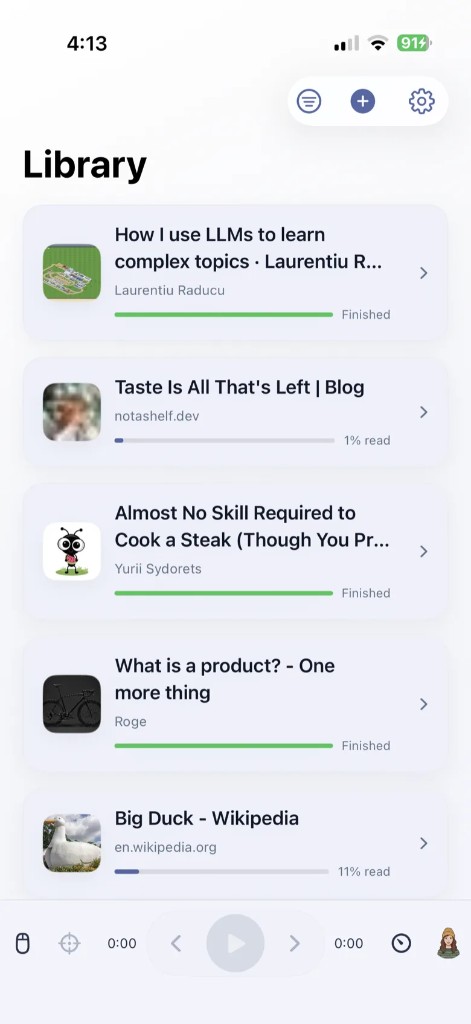
Import a link, share an article from Safari, drop in an EPUB, or paste text. WithAudio turns that into a clean reading view with a library you can search, sort, and filter. Progress is tracked per document. Playback sits at the bottom of the screen, the way a music player would.
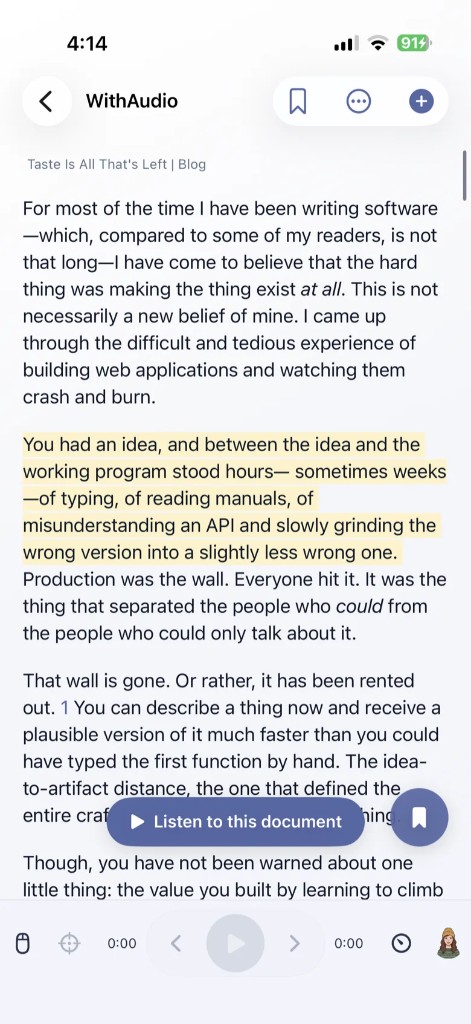
Tap Listen to this document and Kokoro voices speak on-device, using the Neural Engine. The first time you listen, speech models may download—Wi-Fi is recommended for that step. After that, you can keep listening on a walk or a commute with the screen locked.
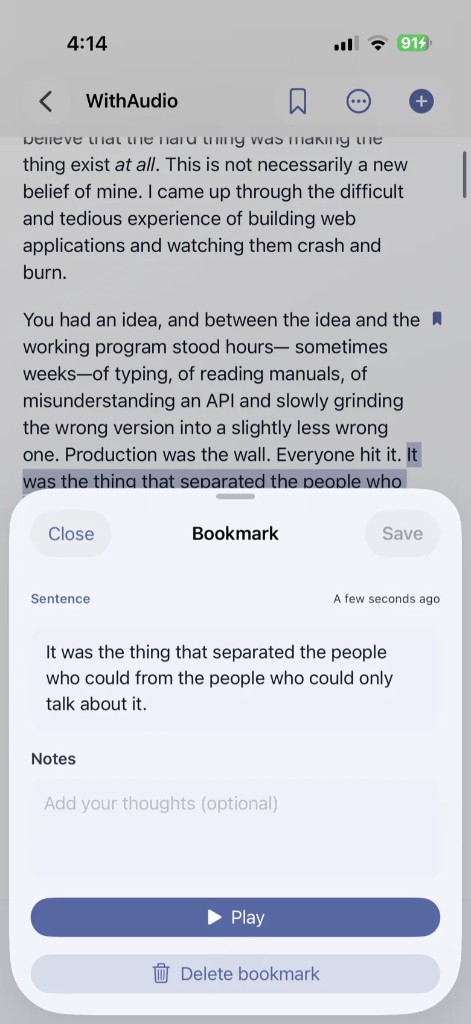
You can also bookmark a sentence or a paragraph, add an optional note, and play that passage back later. Bookmarks stay on the phone with the rest of the library.
More detail, including the current launch price, is on with.audio/ios.
Private by design
There is no account. There is no cloud library. Your books, articles, bookmarks, and notes stay on your iPhone. Text-to-speech does not leave the device.
That is the same privacy stance as desktop WithAudio: we do not need your documents in order to read them to you.
Buy once
Download is free. Unlimited access is a one-time unlock—currently $1.99 during the Just Released period, regularly $3.99 (or the equivalent in your App Store currency). No subscription.
If that model sounds familiar, it is. We wrote about it in Why Everything Doesn't Have to Be a Subscription. The iPhone app is the same bet: pay once, own the app, keep using it.
English only, for now
Voices and reading on iPhone are English only. That is a real limit, not a footnote. Desktop WithAudio already has more languages and a larger engine lineup; iPhone is the focused, on-the-go version of the same product.
Get it
WithAudio on the App Store · iPhone, iOS 18 or later.
Prefer a bigger screen, more languages, or export? WithAudio for Mac and Windows is still there.
Questions, bugs, or a document that does not import cleanly: [email protected].
Read it. Hear it. Keep it on your phone. Get WithAudio for iPhone.